Stop motion Goku
Unleashing the Power of Stop Motion Goku: A Fan’s Guide to Dragon Ball Animation Magic
Goku, the iconic Saiyan warrior from Dragon Ball, has leapt from manga panels and anime screens into countless creative mediums—including the painstakingly crafted world of stop motion animation. Combining the nostalgia of Akira Toriyama’s legendary hero with the tactile charm of frame-by-frame filmmaking, stop motion Goku has become a viral sensation. This guide explores the artistry behind these mini-masterpieces, highlights standout examples, and shares tips for creating your own!
What is Stop Motion Goku?
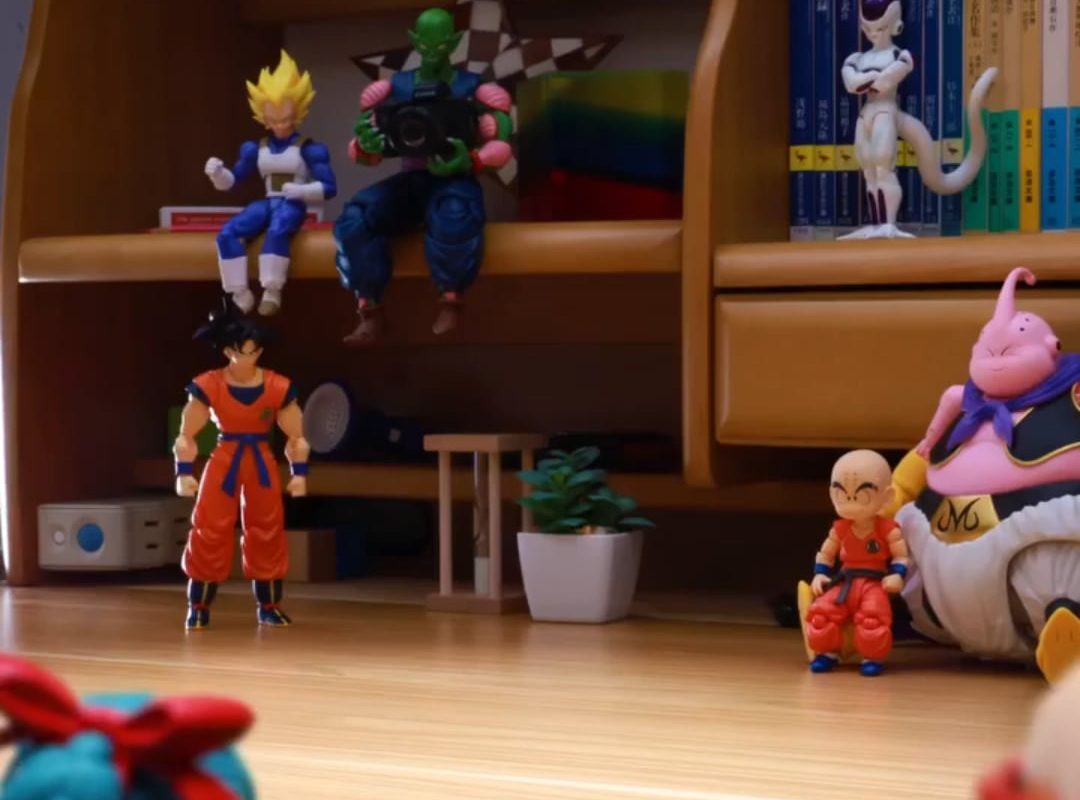
Stop motion animation brings static objects to life by photographing them one tiny movement at a time. When these images are played in sequence, characters like Goku appear to punch, kick, and even unleash Kamehameha waves in fluid motion. Artists often use:
- Articulated action figures (e.g., SH Figuarts, Banpresto Dragon Ball figures).
- Custom clay or 3D-printed models for unique expressions.
- Handmade dioramas of iconic locations like Capsule Corp or the Hyperbolic Time Chamber.
Result? A thrilling blend of Dragon Ball’s high-energy action and the whimsical, handmade aesthetic of stop motion.
Why Stop Motion Goku Is Exploding Online
From YouTube to TikTok, Goku stop motion shorts amass millions of views. Here’s why:
- Nostalgia Meets Creativity: Fans adore seeing childhood heroes reimagined in a retro art form.
- Skill Showcases: Smoothly animating Goku’s lightning-fast fights demonstrates incredible patience and precision.
- Accessibility: Affordable tools (like smartphones and free software) lower entry barriers for creators.
Viral Examples to Inspire You:
- Goku vs. Vegeta in Stop Motion by PES: A gritty, cinematic duel using weathered action figures.
- Goku’s Ultra Instinct Transformation by Broly Stop Motion: A fluid 3-minute short with dynamic camera angles.
- LEGO Son Goku vs. Frieza: A playful twist combining LEGO bricks and Dragon Ball’s epic showdowns.
How to Create Your Own Stop Motion Goku Masterpiece
Ready to channel your inner animator? Follow these steps:
1. Plan Your Scene
- Storyboard: Sketch key frames of the action (e.g., Goku charging a Spirit Bomb).
- Keep it short: 15–30 seconds is ideal for beginners.
2. Gather Materials
- Goku Figure: Use posable figures with joints for fluid movement.
- Backdrop: Print scenery or build sets with foam board, clay, or LEGO.
- Lighting: Use two softbox lights to avoid harsh shadows.
3. Set Up Your Studio
- Tripod: Keep your camera or phone perfectly still.
- App/Software: Try free tools like Stop Motion Studio or pro software like Dragonframe.
- Framer Rate: 12–15 FPS (frames per second) is standard.
4. Animate Frame-by-Frame
- Micro-Movements: Adjust Goku’s limbs slightly between each shot.
- Dynamic Angles: Tilt the camera during fight scenes for dramatic impact.
- Effects: Add smoke, energy blasts, or speed lines digitally in post-production.
5. Edit & Share
- Polish with sound effects (e.g., Dragon Ball Z voice clips, punch sounds).
- Upload to YouTube or TikTok with tags like #StopMotionGoku.
4 Challenges to Overcome
- Fast Movements: Goku’s battles require hundreds of subtle frames. Solution: Focus on “key poses” first, then fill in gaps.
- Rigging Flight Scenes: Use thin wire rigs (edited out later) to suspend mid-air fights.
- Facial Expressions: Swap figure heads or sculpt custom faces for transformations like Super Saiyan.
- Patience: A 30-second clip can take 8+ hours. Take breaks!
Essential Tools for Stop Motion Goku
- Figures: SH Figuarts, Figma, or budget-friendly Bandai kits.
- Camera: DSLR (e.g., Canon EOS) or smartphone with manual settings.
- Software: Stop Motion Studio (beginner), Dragonframe (professional).
- Accessories: Blu-Tack (to hold poses), wire armatures, green screens.
Conclusion: Keep Pushing Beyond Limits!
Stop motion Goku isn’t just animation—it’s a labor of love that merges Dragon Ball’s “never give up” spirit with meticulous craftsmanship. Whether you’re recreating the Cell Games or inventing original battles, each frame is a step toward mastering this timeless art. As Goku would say: “Power comes in response to a need, not a desire.” So grab your figures, start filming, and unleash your creativity!
FAQ
Q: How long does a 1-minute stop motion Goku video take?
A: Roughly 10–20 hours, depending on complexity.
Q: Can I use cheap Goku figures?
A: Yes! Basic figures work, but articulated ones (like SH Figuarts) offer smoother movement.
Q: What’s the ideal FPS for fight scenes?
A: 12–15 FPS balances fluidity and workload. For super-fast action, try 24 FPS.
Q: Where can I learn advanced techniques?
A: Study YouTube tutorials by Broly Stop Motion or PuppeteerLee.
Tags: Stop Motion Goku, Dragon Ball Stop Motion, DIY Animation, Goku Figure Tutorial, Fan Projects