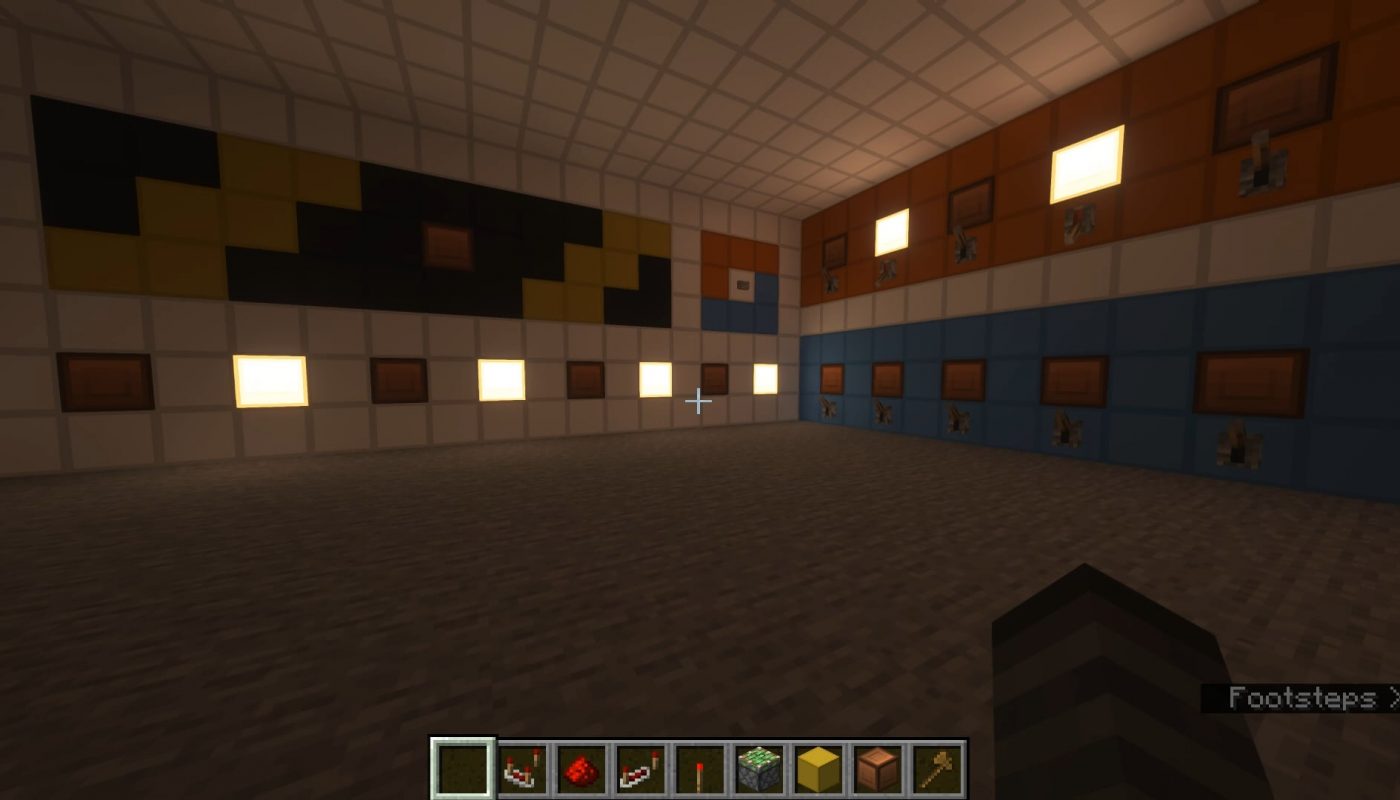
Most of the reason it looks so good is because I'm using serial transmission to retrieve the result. What you're actually seeing is each bit being rotated to the right, with the rightmost bit being discarded and the leftmost bit being replaced with the next bit from the result.
Title: Mastering Minecraft Redstone: How to Add 85+85 on a Redstone Calculator
Meta Description: Learn how to tackle binary addition in Minecraft with this step-by-step guide for adding 85+85 on a redstone calculator. Discover the mechanics of 8-bit adders and overflow handling!
Introduction
Minecraft’s redstone engineering offers endless possibilities, from automated farms to complex logic circuits like calculators. Adding two numbers, such as 85+85, on a redstone calculator might sound simple, but it involves deep binary logic, signal management, and a cleverly designed 8-bit adder. In this guide, we’ll break down the process step by step—whether you’re a redstone novice or a seasoned engineer!
Why Add 85+85? A Logical Challenge
Binary calculators in Minecraft use redstone logic gates to handle math operations, turning decimal inputs (like 85) into binary signals (01010101 for 85 in 8-bit). Adding 85 + 85 gives 170, which tests your calculator’s 8-bit capacity (max value 255)! But reaching this total requires perfecting carry propagation to avoid errors.
Step 1: Converting Decimal to Binary
First, convert both numbers to 8-bit binary (using binary placeholders from 2⁷ to 2⁰):
- 85 in Binary: 0 1 0 1 0 1 0 1
(64 + 16 + 4 + 1 = 85) - 85 in Binary (Same Input): 0 1 0 1 0 1 0 1
Each digit represents a “bit” input in your calculator.
Step 2: Build the 8-Bit Adder
A redstone calculator adds numbers using Full Adders (FAs) for each bit. Each FA handles:
- Input A: Bit from the first number (85).
- Input B: Bit from the second number (85).
- Carry-In (Cin): Overflow from the previous bit.
- Output Sum (S): Result bit for that position.
- Carry-Out (Cout): Overflow sent to the next bit.
Key Components:
- Redstone Torches: For NOT, AND, OR gates in Full Adders.
- Repeaters/Pistons: Manage timing/signal strength.
- Redstone Lamps or Displays: Visualize binary outputs.
Step 3: Implementing the Calculation
Let’s add the binary digits (left to right, starting from the least significant bit):
| Bit Position | 7 | 6 | 5 | 4 | 3 | 2 | 1 | 0 |
|---|---|---|---|---|---|---|---|---|
| A (85) | 0 | 1 | 0 | 1 | 0 | 1 | 0 | 1 |
| B (85) | 0 | 1 | 0 | 1 | 0 | 1 | 0 | 1 |
| Sum | 1 | 0 | 1 | 0 | 1 | 0 | 1 | 0 |
How It Works:
- Bit 0 (Rightmost): 1 + 1 = 0, Carry=1
- Bit 1: 0 + 0 + Carry 1 = 1, Carry=0
- Bit 2: 1 + 1 + 0 = 0, Carry=1
- …and so on, propagating the carry through each bit.
The final binary sum is 10101010, which equals 170 in decimal.
Step 4: Handling Overflow (If Any)
Since 170 is under the 8-bit max (255), there’s no overflow here. But if you go beyond 255, activate an overflow indicator (e.g., a redstone lamp) using the final carry-out!
Practical Build Tips
- Signal Strength: Use repeaters to avoid signal decay over long circuits.
- Compact Design: Stack full adders vertically for a space-efficient 8-bit adder.
- Input System: Use levers, buttons, or binary encoders for decimal-to-binary conversion.
- Output Display: Use redstone lamps or 7-segment displays (via decoders).
Why This Matters for Your Minecraft World
Understanding redstone math opens doors for:
- Automated Shops: Calculate emerald costs.
- Puzzle Maps: Create brain-teasing math challenges.
- Resource Counters: Track items in chests.
FAQs
Q: Can I build this in survival mode?
A: Yes! Collect redstone dust, quartz, torches, and iron for repeaters.
Q: What if my calculator shows an error?
A: Check carry propagation—delays often break sequential logic circuits.
Q: Is there a tool to simulate this first?
A: Try digital simulators (like LogicWorld) to prototype your design!
Conclusion
Adding 85+85 on a Minecraft redstone calculator combines logic, patience, and creativity. By mastering binary addition and overflow handling, you’ll unlock advanced redstone projects—paving the way for smarter, automated builds.
Ready to level up? Grab your pickaxe, craft some redstone, and start experimenting today. The Minecraft universe is your circuit board—engineer it!
SEO Keywords:
Redstone calculator Minecraft, binary addition redstone, Minecraft 8-bit adder, how to build a Minecraft calculator, adding numbers Minecraft redstone, full adder tutorial, 85+85 redstone example.