Using a Laser to Create a Bouncing Man on a Building
Meta Description: Discover how to create a mesmerizing “bouncing man” silhouette illusion on a building using laser projection technology. Step-by-step guide, equipment tips, and safety insights included.
Create a Stunning “Bouncing Man” Building Projection Using Lasers: A Step-by-Step Guide
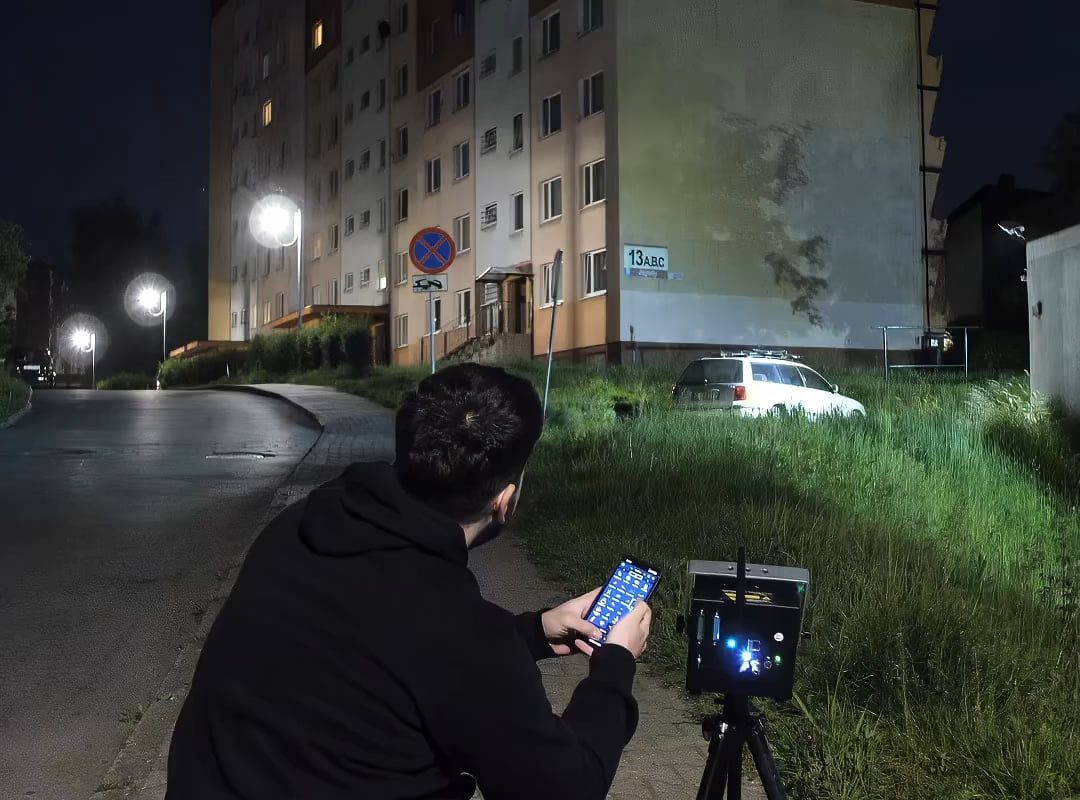
Imagine transforming a plain building facade into a dynamic canvas where a glowing silhouette leaps, flips, and bounces against the walls like a gravity-defying acrobat. With high-powered laser projection technology, this futuristic art installation is possible—captivating audiences at events, festivals, or commercial campaigns. In this guide, we’ll break down how to create a “bouncing man” laser effect, the equipment required, and key safety considerations.
What Is the “Bouncing Man” Laser Effect?
The “bouncing man” illusion uses directed laser beams and rapid motion to project an animated human figure that appears to ricochet off a building’s surface. This is achieved through:
- Animated or Real-Time Motion Design: Pre-programmed sequences or motion capture data create a “jumping” character.
- High-Speed Galvanometer Scanners: Precision mirrors inside laser projectors move the beam at dizzying speeds, creating fluid motion.
- Dimensional Depth Tricks: By angling lasers and playing with perspective, the figure seems to interact with architectural features.
This effect gained fame in light festivals like Vivid Sydney or Amsterdam Light Festival, but it’s accessible for smaller projects too!
Equipment Needed to Create the Effect
1. High-Powered RGB Laser Projector
- Minimum Power: 5W–10W (for smaller buildings) to 30W+ (large-scale projections).
- Color Capability: RGB (red, green, blue) lasers allow full-color animations.
- Scan Speed: Look for projectors with ≥30kpps (points per second) for smooth motion.
2. Laser Scanning & Animation Software
- Essential Tools: Software like Pangolin Beyond, Laser Show Designer, or HE-Laser to create/import animations.
- Keyframe Animation: Design a “jump” cycle with squash-and-stretch physics for realism.
3. Mounting & Cooling Systems
- Sturdy Tripods/Rigging: Secure the projector (e.g., roof, scaffold, or crane).
- Cooling Fans/Units: Lasers overheat quickly—active cooling is critical.
4. Safety Barriers & Permissions
- Laser Safety Officer (LSO): Required for public events to ensure compliance with FDA/CDRH or IEC 60825 regulations.
- No-Fly Zones: Notify aviation authorities if beams exceed 2.5 mW (Class IIIB+).
Step-by-Step Guide to Creating the Effect
Step 1: Design the “Bouncing Man” Animation
- Tip: Use a simple silhouette for long-distance clarity.
- Animation: Create a 5–10 second loop of the figure hitting the “ground” (building base) and rebounding upward.
Step 2: Site Scouting & Projection Mapping
- Measure the Building: Note dimensions, windows, or obstacles.
- Mapping Software: Align your animation to scale using tools like MadMapper or Resolume.
Step 3: Laser Installation & Calibration
- Position the Laser: Angle the projector to cover the full “bounce” path.
- Test Scanners: Adjust scan speed to minimize flickering.
Step 4: Safety Checks
- Beam Path Analysis: Ensure no beams intersect public walkways or roads.
- Power Thresholds: Use beam attenuators to stay within local safety limits.
Step 5: Live Activation & Real-Time Tweaks
- Wind/Weather: Monitor conditions—fog or rain amplifies the effect!
- Dynamic Control: Software like DMX controllers lets you sync the show with music or triggers.
Challenges & Solutions
| Challenge | Solution |
|---|---|
| Beam visibility in cities | Use brighter lasers (15W+), green beams (most visible to humans). |
| Animation looks pixelated | Optimize DPI; simplify graphics for long-range projection. |
| Safety compliance | Work with an LSO and file permits early. |
| Power supply | Use generators for outdoor installations. |
Creative Applications of the “Bouncing Man” Effect
- Brand Activations: Advertise athletic brands with a leaping figure.
- Music Festivals: Sync jumps to bass drops.
- Urban Art Installations: Turn buildings into interactive playgrounds.
- Holiday Displays: A bouncing Santa or Halloween ghost!
Safety First! Legal & Best Practices
- Never point lasers at aircraft, crowds, or reflective surfaces.
- Wavelength Matters: Avoid blue/violet lasers near crowds (higher eye risk).
- Check Local Laws: Many cities require permits for outdoor laser shows.
Frequently Asked Questions (FAQ)
Q: How much does a “bouncing man” laser installation cost?
A: Small setups start at $5k (rental lasers + software). Large-scale shows exceed $20k+.
Q: Can I use drone projectors instead?
A: No—drones can’t carry heavy lasers, and beam stability is poor. Ground-based rigging is best.
Q: How far can laser projectors reach?
A: A 10W laser can project up to 500m clearly; 30W+ works for skyscrapers.
Q: Will sunlight interfere with visibility?
A: Yes—project at night or during low-light hours for maximum impact.
Conclusion: Turn Architecture Into a Playground
With meticulous planning, creative animations, and robust safety protocols, a “bouncing man” laser projection can turn any building into an unforgettable spectacle. Whether you’re a professional installer, artist, or adventurous marketer, this fusion of art and photonics pushes the boundaries of visual storytelling. Ready to defy gravity? Your canvas awaits!
Pro Tip: For beginners, partner with a laser rental company experienced in outdoor projection—they’ll handle tech and regulatory hurdles!
Target Keywords:
- Laser projection on building
- Bouncing man light effect
- Outdoor laser art installation
- Architectural projection mapping
- Laser show equipment guide
By blending technical detail with creative inspiration, this guide aims to rank for laser enthusiasts, event planners, and advertising professionals seeking awe-inspiring public installations. 🚀