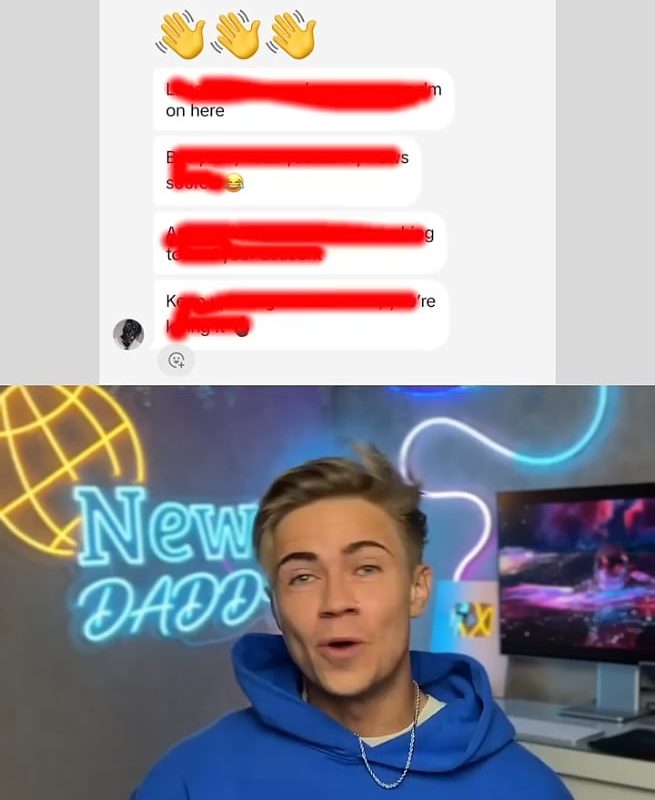
Guys can you please help me identify the editing technique used in this video,, by that l mean being able to show every topic am discussing in the video at the top 👏👏
Unlocking Viewer Engagement: How to Use Video Chapters (Timestamps) Like a Pro
Are you struggling to keep your audience hooked while making your video content more navigable? The editing technique you’re describing—showing every topic at the top of a video as you discuss it—is called Video Chapters with Timestamps (or “Timestamp Annotations”). It’s a powerful method used by professional creators to boost clarity, SEO, and viewer retention. Let’s break down how it works, why it matters, and how you can implement it!
What Is This Technique?
When creators display topics at the top of the screen as they’re discussed (often with text overlays or animated titles), they’re using Video Chapters or Timestamp Labels. This is often paired with clickable timestamps in the video description (e.g., on YouTube) that let viewers skip to specific sections. Think of it like a “table of contents” for your video!
Example:
- At 0:10, text pops up: “Step 1: Research Keywords”
- At 1:30, a new title appears: “Step 2: Script Your Video”
- Each chapter corresponds to a timestamp link below the video.
Why This Technique Rocks for Creators
-
Improved Viewer Experience
Viewers can quickly skip to topics they care about, reducing bounce rates and boosting watch time. -
Enhanced SEO
YouTube and Google use timestamps to index your content, making your video more likely to appear in search results for specific queries (e.g., “how to edit timestamps”). -
Professional Polish
Visual chapters make your content feel organized and credible—perfect for tutorials, reviews, or educational videos. -
Social Media Appeal
Short clips with clear chapter titles perform better on platforms like TikTok or Instagram Reels, where attention spans are short.
How to Create Video Chapters (3 Simple Steps)
Step 1: Add Timestamps in Your Video Editor
Use editing software (e.g., Adobe Premiere Pro, Final Cut Pro, or free tools like DaVinci Resolve) to:
- Add text overlays at the start of each section.
- Keep titles concise and visually consistent (same font/color).
- Sync them with your script or talking points.
Step 2: Enable Clickable Chapters on YouTube
-
For YouTube: Add timestamps to your video description in this format:
0:00 Introduction
1:15 Editing Technique Explained
3:40 How to Add Timestamps -
YouTube automatically generates a clickable chapter menu!
Step 3: Get Creative
- Animated Transitions: Use zoom effects, banners, or icons to make chapters pop.
- Voiceover Cues: Say “Next up: Lighting Tips” as the title appears.
- Color Coding: Use colors to differentiate topics (e.g., blue for tips, red for warnings).
Tools You’ll Need
- Editing Software: CapCut (mobile-friendly), Premiere Pro, or iMovie for overlays.
- Thumbnail Design: Canva or Photoshop for custom chapter graphics.
- SEO Boosters: Tools like TubeBuddy or VidIQ to optimize timestamp keywords.
Pro Tips for Maximum Impact
✓ Keep Chapters Short: 1-3 words (e.g., “Camera Gear” instead of “My Favorite Camera Gear for Beginners”).
✓ Place Titles Strategically: Top-left or top-center works best—avoid blocking key visuals.
✓ Test on Mobile: 70% of viewers watch on phones, so ensure text is readable on small screens.
Real-World Examples
- Tech Reviews: Marques Brownlee (MKBHD) uses timestamps to jump to “Battery Life” or “Camera Test.”
- Cooking Channels: Recipes split into “Ingredients,” “Prep,” and “Baking” sections.
- Gaming Videos: “Gameplay,” “Tips,” and “Easter Eggs” chapters.
Conclusion: Master Chapters to Dominate SEO & Retention
Using video chapters isn’t just an editing trick—it’s a growth strategy. By guiding viewers through your content and satisfying their need for quick answers, you’ll rank higher, earn more watch time, and build loyal fans.
Ready to try it? Script your next video with chapters in mind, and watch your engagement soar! 🚀
Got questions? Drop them below—we’ll help you nail this technique! 👇