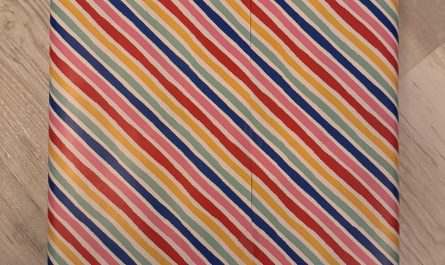
Perfectly filling the cover
Perfectly Filling the Cover: Your Ultimate Guide to Flawless Design and Impact
In the world of design, marketing, and storytelling, the “cover” is often the first impression. Whether it’s a book, a product package, an ebook, a resume, or a social media post, perfectly filling the cover means using every inch of space to capture attention, convey purpose, and compel action. But how do you strike the balance between clutter and completeness? In this guide, we’ll break down the principles of creating covers that are visually stunning, informative, and irresistibly engaging.
Why Perfectly Filling the Cover Matters
A cover is more than decoration—it’s a strategic tool. Studies show that consumers decide in seconds whether to engage with content, and 90% of first impressions are visual. A poorly designed cover wastes space, dilutes messaging, or fails to resonate. Conversely, a cover that’s perfectly filled leverages:
- Visual hierarchy to guide the viewer’s eye.
- Whitespace for balance, not emptiness.
- Essential information without overwhelm.
- Emotional resonance through color, imagery, and typography.
Key Elements of a Perfectly Filled Cover
1. Purpose-Driven Design
Before adding a single element, ask: What’s the goal?
- Books/Magazines: Intrigue readers with striking visuals and clear titles.
- Product Packaging: Highlight benefits (e.g., “organic,” “30% more”) and branding.
- Resumes/Portfolios: Showcase your name, expertise, and uniqueness quickly.
Pro Tip: Use the Golden Ratio or Rule of Thirds to place critical elements (e.g., title, imagery) in “power zones” where eyes naturally land.
2. Typography That Speaks Volumes
Fonts set the tone:
- Bold Sans-Serif: For modernity and impact (great for tech or startups).
- Classic Serif: Elegance and authority (ideal for books or luxury brands).
- Script Fonts: Personal touch (use sparingly for logos or accents).
Avoid overcrowding: Limit fonts to 2-3 styles max. Ensure titles dominate subtitles.
3. Color Psychology & Contrast
Colors evoke emotions:
- Red: Urgency, passion (sales, food).
- Blue: Trust, calm (finance, health).
- Green: Growth, nature (eco-products).
Contrast is king: Pair light backgrounds with dark text (or vice versa) for readability. Test accessibility with tools like Adobe Color.
4. Imagery That Tells a Story
A single powerful image > five mediocre ones.
- Books: Use symbols or scenes that hint at the genre or plot.
- Products: Show the item in use or highlight key features.
- Digital Covers: Opt for high-res photos or custom illustrations.
Golden Rule: Leave margins around images to avoid a “cluttered” feel.
5. Whitespace: The Silent Hero
Whitespace isn’t empty—it’s breathing room. A perfectly filled cover uses whitespace to:
- Frame important elements (e.g., a headline).
- Prevent sensory overload.
- Create a premium, minimalist aesthetic.
Step-by-Step: How to Perfectly Fill Any Cover
Step 1: Define Your Core Message
Start with a single takeaway (e.g., “Mystery Thriller Novel” or “All-Natural Skincare”). Everything else supports this.
Step 2: Prioritize Elements
Rank components by importance:
- Title/Headline
- Visual focal point (e.g., hero image)
- Subtitle/Key benefit
- Branding (logo, tagline)
- Decorative accents
Step 3: Grids and Alignment
Use tools like Canva, Adobe InDesign, or Figma to align elements on a grid. Symmetry creates professionalism; asymmetry adds dynamism.
Step 4: Test for Impact
Ask:
- Can the message be understood in 3 seconds?
- Does it stand out in a crowded space (e.g., Amazon thumbnails)?
- Is there visual “flow” from top to bottom?
Step 5: Optimize for the Medium
- Print: Use CMYK and 300 DPI resolution.
- Digital: RGB and 72 DPI, but ensure mobile-friendliness.
- Social Media: Adhere to platform specs (e.g., Instagram cover vs. LinkedIn banner).
Common Mistakes to Avoid
- Overstuffing: Adding too much text or graphics.
- Ignoring Hierarchy: Burying key info in small fonts.
- Low-Quality Assets: Pixelated images or amateur fonts ruin credibility.
- Forgetting the Audience: A Gen-Z-focused meme cover won’t resonate with corporate clients.
Real-World Examples of Perfectly Filled Covers
- Apple Product Packaging: Minimalist white space, crisp product shots, and clear branding.
- NYT Bestselling Book Covers: Bold typography dominates, with thematic imagery in the background.
- Tesla’s Cybertruck Reveal: Stark metallic visuals echoed innovation and disruption.
Tools to Elevate Your Cover Game
- Canva: Drag-and-drop templates for beginners.
- Adobe Creative Suite: Advanced control (Photoshop, Illustrator).
- Coolors.co: Generate harmonious color palettes.
- Unsplash/Pexels: Free high-resolution images.
Final Takeaway
Perfectly filling the cover isn’t about squeezing in everything—it’s about strategic simplicity. By balancing visuals, text, and whitespace, you turn a blank canvas into a magnetic gateway. Whether you’re designing a book, product, or LinkedIn banner, remember: the best covers don’t just catch eyes. They capture minds.
Ready to create your masterpiece? Start with purpose, refine with precision, and let your cover speak volumes.
Meta Description:
Learn how to perfectly fill any cover—books, resumes, or product packaging—using design principles, typography tips, and real-world examples. Create impact in seconds!
Target Keywords:
- Perfect cover design
- How to fill a cover page
- Cover design tips
- Book cover layout
- Product packaging design
- Resume cover best practices
By blending aesthetics with strategy, this guide ensures your covers don’t just fill space—they fill imaginations. 🎨✨