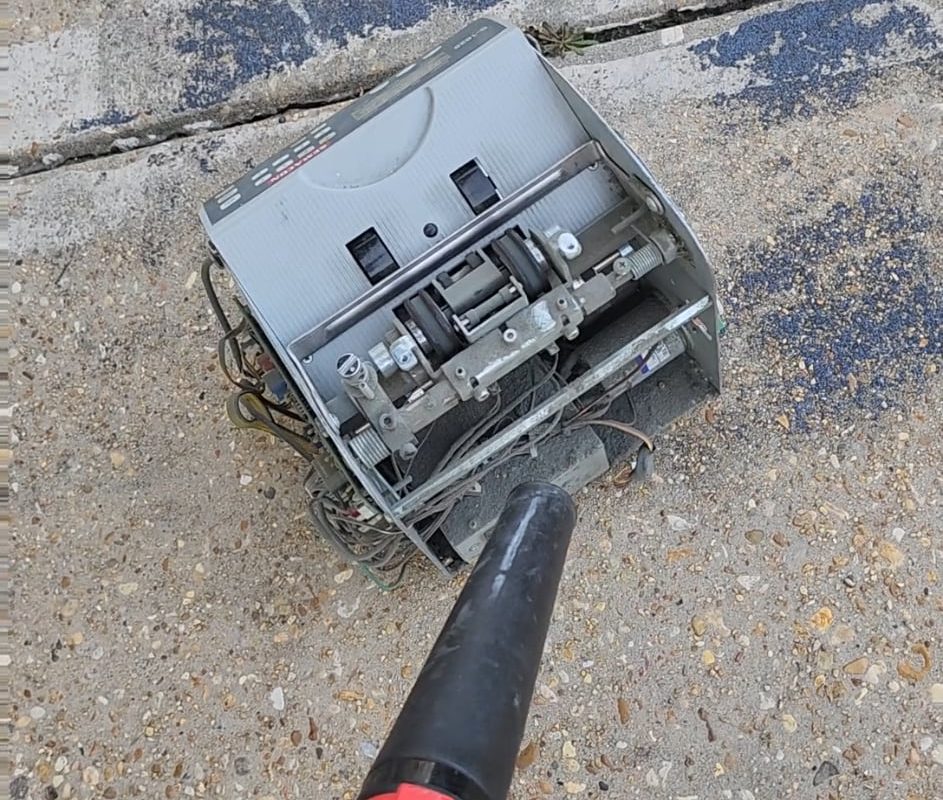
Blowing money-dust out of a money counting machine (again)
Title: Blowing Out Money-Dust: How (and How Not) to Clean Your Money Counting Machine
Meta Description: Sticky rollers? Count errors? Learn the safest way to blow money-dust from your bill counter without damaging sensors or voiding warranties. Includes step-by-step guide & common mistakes.
Introduction: The Silent Enemy Inside Your Money Counter
Money counting machines are workhorses of banks, retailers, and cash-heavy businesses. But lurking beneath those whirring rollers is a sneaky culprit that slows down counts, causes jams, and shortens your machine’s lifespan: money-dust.
This gritty mix of paper fibers, dirt, and oil from handled bills accumulates with every use. Eventually, it clogs sensors, gums up mechanical parts, and even alters weight-based counting accuracy. While “blowing it out” seems simple, doing it wrong can turn a quick fix into a costly repair. Let’s break down how to clean money-dust safely—and why your last attempt might have backfired.
❌ Common Mistakes When “Blowing Out” Money-Dust
(Why Your Machine Still Isn’t Working)
Before diving into solutions, avoid these damaging shortcuts:
-
Using Compressed Air Cans Incorrectly
- Spraying too close (<6 inches) or at high pressure can force dust deeper into sensors or dislodge delicate wiring.
- Tilting the can sideways releases liquid propellants that corrode metal components.
-
DIY Vacuuming Without a Brush Attachment
- Standard vacuum hoses generate static electricity that can fry a machine’s electronics.
-
Skipping Disassembly
- Blowing dust off surfaces without opening the machine (if allowed) leaves debris trapped in critical areas like rollers or infrared sensors.
-
Ignoring the Manufacturer’s Guidelines
- Opening sealed components or using solvents often voids warranties.
✅ Step-by-Step Guide: Safely Remove Money-Dust From Your Counter
Tools You’ll Need
- Soft-bristled brush (anti-static if possible)
- Canless air duster or low-PSI electric blower (<50 psi)
- Microfiber cloth
- Manufacturer-approved cleaning solution (optional)
Colored Post-it notes – helpful for testing sensors post-cleaning
Step 1: Unplug & Disassemble (Safely)
- Unplug the machine and remove the hopper and output tray.
- Check your manual: If allowed, unscrew the outer casing to access rollers and sensors. Never pry open sealed units.
Step 2: Dry Brushing First
- Gently brush debris from rollers, gears, and feed paths. Always brush away from sensors.
Step 3: Strategic Blowing
- Hold your air duster/blower upright 8–12 inches from components.
- Use short bursts at a 30–45° angle to lift dust without embedding it. Target:
- Roller grooves
- Bill detection sensors (IR/UV)
- Stacker wheels
Step 4: Wipe Residue
- Dampen a microfiber cloth with distilled water or manufacturer-approved solution. Wipe non-electronic surfaces.
Step 5: Reassemble & Test
- Let parts dry completely before reassembly.
- Run a test with a few clean bills + Post-its marked with X’s to check for sensor accuracy.
🛠️ Prevent Buildup: 3 Maintenance Habits
- Daily: Brush loose dust from trays and input/output slots.
- Weekly: Use pre-treated anti-static cleaning cards (e.g., Safescan’s CC202) to absorb oils as they pass through rollers.
- Environment: Store the machine away from humid areas or direct sunlight—moisture turns dust into glue.
⚠️ When to Call a Professional
- Persistent error codes after cleaning suggest sensor damage.
- Grinding noises indicate dislodged debris in gears or motors.
- Warranty coverage: Many manufacturers offer low-cost annual servicing that preserves your warranty.
Final Tip: Not All Dust Is Equal
High-use environments (casinos, event venues) face heavier silica-laden dust from worn bills. Invest in a commercial-grade machine with easy-clean modular parts if jams are frequent.
Key Takeaways
- Compressed air is a tool—not a cure-all. Angle and distance matter.
- Dry brushing removes 70% of debris before blowing.
- Testing with marked bills post-cleaning saves future headaches.
By tackling money-dust correctly, your counting machine stays accurate faster between deep cleans. Remember: Blowing harder isn’t better—blowing smarter is.